Maintain your User Profile
This option is only available if you already logged in with a valid user account.
Select the Profile option from the Zingoolarity home page or the main menu.
This option allows you to update your personal profile at any time.
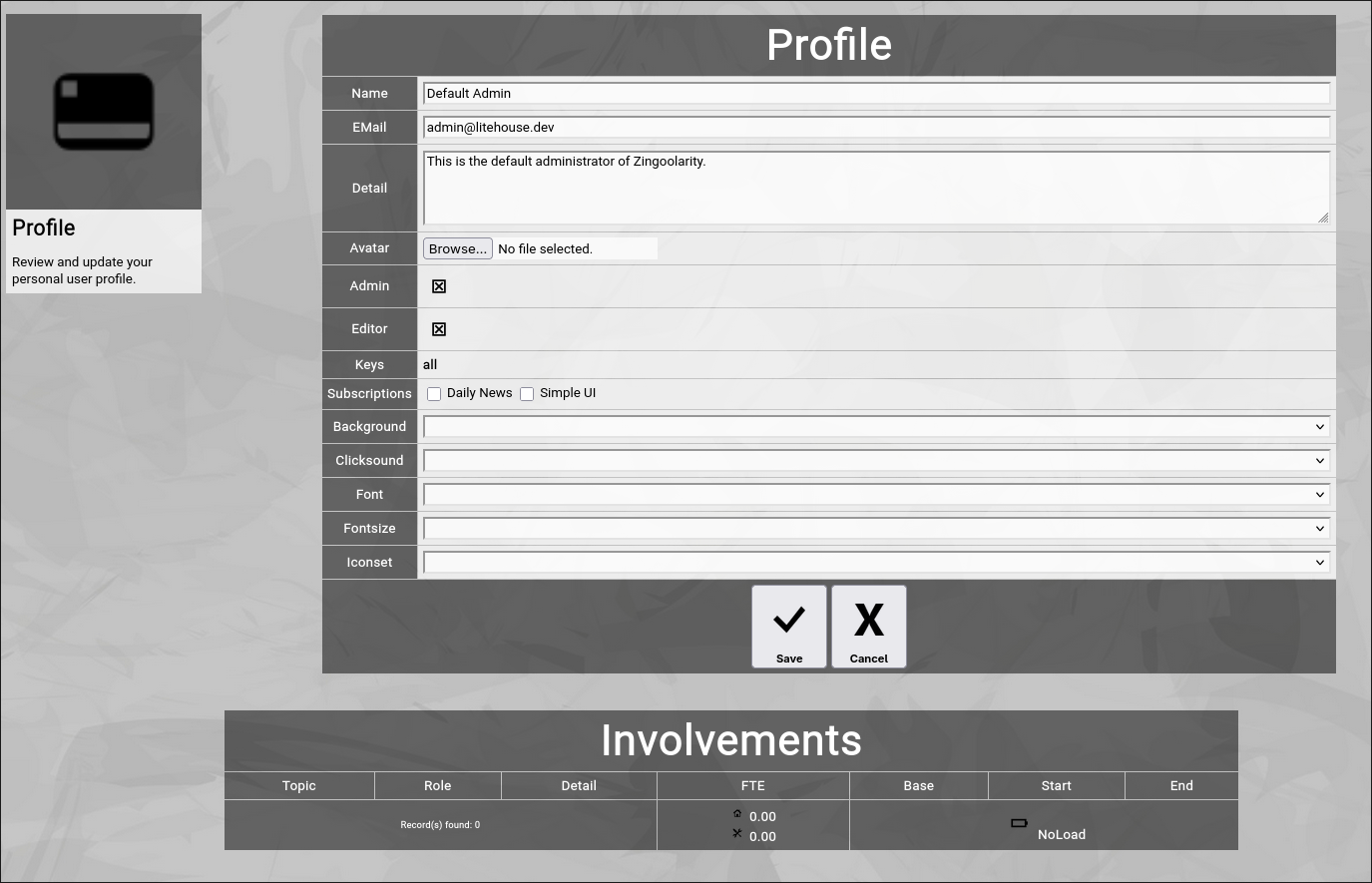
(Zingoolarity profile screen)
You can make changes to the following attributes of your user account:
- Change your name.
- Change your email address (be careful; if you enter a wrong email address here, you may be unable to recover your user account information by email in the future).
- Change your details.
- Upload an avatar picture (any png, jpg or gif image; usually a photo of yourself).
- Subscribe or unsubscribe from the user-specific options:
- Daily News
if subscribed, you will automatically receive a summary email at about midnight, which contains all actions of all topics of the closing day for your reading pleasure).
- Simple UI
(if subscribed, the user interface of Zingoolarity assumes that you are a casual read-only user and it automatically hides unnecessary complexity).
- Home URL
The optional home URL allows you to set a custom URL, which will be used for the "Main" buttons in the home screen, in the menu and in the top level menu bar.
If the user subscribed to the simplified UI, this will also replace the link from the splash screen.
- Change aspects of your user interface (background, clicksound, font, fontsize and iconset).
Click the Save button to apply the modified attributes or click the Cancel button to return to the home menu screen.
The screen also displays some read-only attributes of your user account:
- Admin
If this option is checked, you are an instance-wide administrator of Zingoolarity and therefore you have access to everything and can configure everything.
Note that this can be dangerous, because you are able to do things which influence the Zingoolarity instance as a whole.
- Editor
If this option is checked, you are a contributing user who is able to add and modify topics, depending on the security lock settings of the topics and your available keys.
- Keys
A space-delimited list of security keys which you own.
Security keys allow you to access certain access-restricted topics and topic areas.
- Involvements
If you are part of one or more teams in your organization, this table provides an overview of your memberships.
The concept of teams is explained further down in this getting started guide.
|





