|
|---|
 |
 |
|---|
 |
|---|
 |
|---|
|
|
|---|
 | Zingoolarity Homepage | | TOPICS | | Configuring the Home Topic |
| Configuring the Home Topic |
|---|
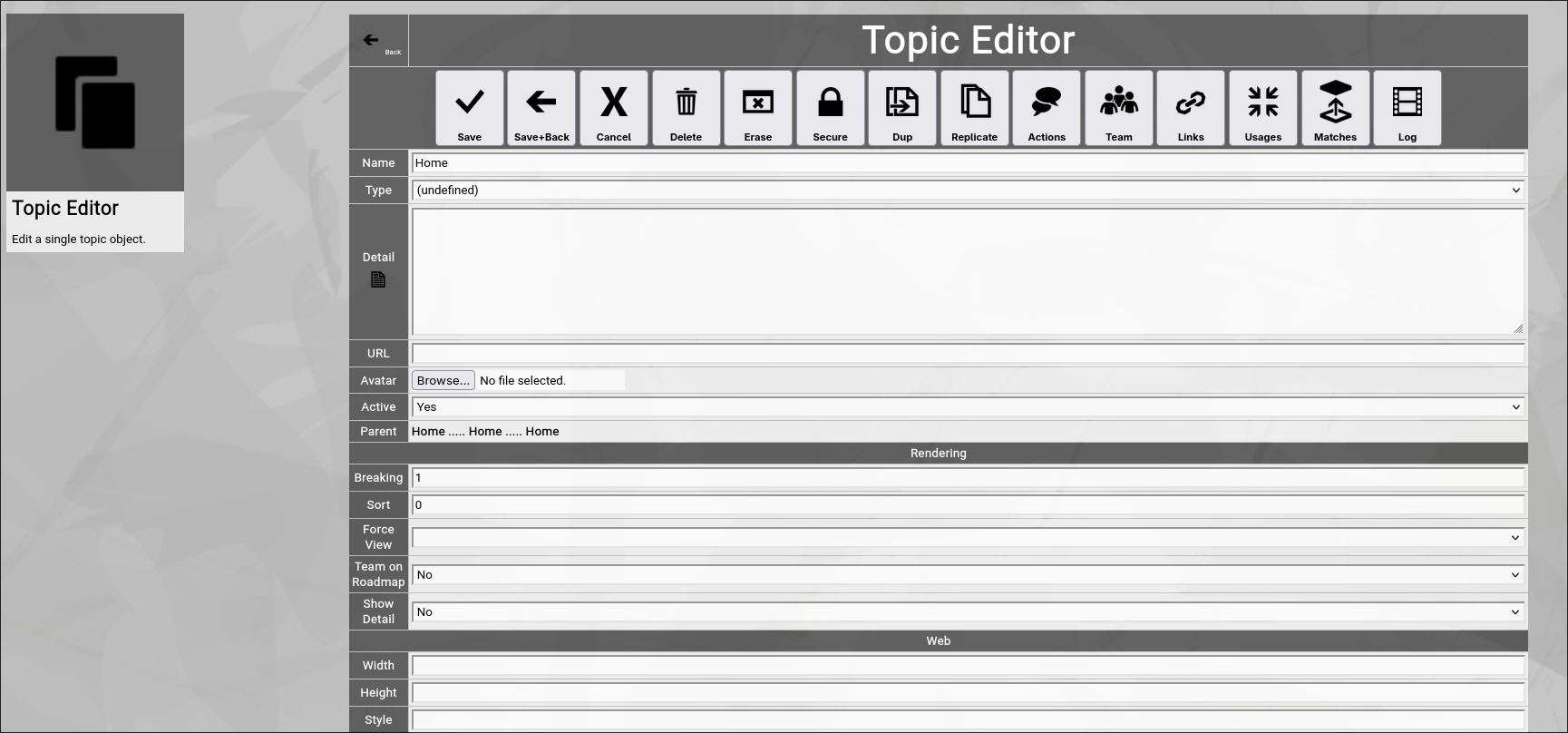
Configuring the "Home" TopicLet us start by configuring your top-most topic, which is the "Home" topic and (at the beginning) is the only topic existing (with the exception of the "Clipboard", which we will ignore for the moment). The breadcrumb allows you to invoke the topic editor screen of any topic by clicking on the small arrow left of the topic name in the breadcrumb. This will actually invoke a screen like this one:
Wow, this is a lot of fields and options! But luckily only a couple of them are relevant at the moment. And again, luckily this screen is always the same whenever you edit a topic. So once you understand it, you know the 80% of Zingoolarity which are most important. And finally, all editor screens in Zingoolarity follow the same paradigm: Now let us update two fields for the Home" topic:
Now we click the Save+Back button.
You see already, that the "Detail" which we entered is rendered to the screen. |